OTX, Openvino Training Extensions은 Openvino용 모델 생성 툴킷이다
자세한 설명은 아래 깃헙에서,,
https://github.com/openvinotoolkit/training_extensions
GitHub - openvinotoolkit/training_extensions: Train, Evaluate, Optimize, Deploy Computer Vision Models via OpenVINO™
Train, Evaluate, Optimize, Deploy Computer Vision Models via OpenVINO™ - GitHub - openvinotoolkit/training_extensions: Train, Evaluate, Optimize, Deploy Computer Vision Models via OpenVINO™
github.com
1. 가상환경 준비 및 실행
# test 폴더에서 실행
python -m venv .otx
source .otx/bin/activate
python -m pip install -U pip
pip install wheel setuptools
pip install torch==1.13.1 torchvision==0.14.1 --extra-index-url https://download.pytorch.org/whl/cu117
pip install otx[full]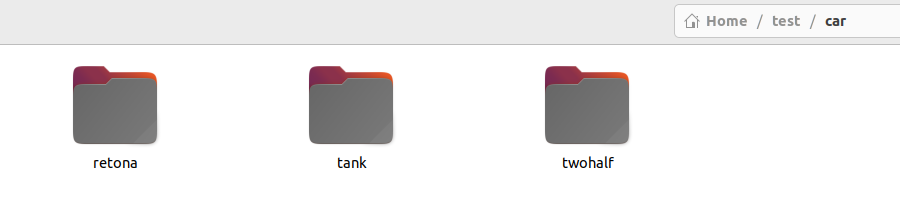

classification에 사용할 데이터셋을 준비하자
car 폴더에 레토나, 탱크, 두돈반 이렇게 3가지 종류의 차를 100여장씩 준비했다
2. 생성 가능한 모델 확인
otx find --template --task CLASSIFICATION
classification에 사용할 수 있는 모델들을 확인할 수 있다
3. 모델 빌드
# test 폴더에서 실행
otx build Custom_Image_Classification_EfficientNet-V2-S --train-data-roots ./car/ --workspace ./otx_classification
otx_classification이라는 폴더를 생성하고 준비한 데이터셋을 사용해 EfficientNet-V2-S 모델로 전이학습을 진행한다
이런 폴더가 생성될 것이다

4. 모델 학습
// otx_classification 폴더에서 실행
otx train
이렇게 하면 기본적으로 세팅된 Hyper Parameter 값으로 트레이닝을 시작한다
5. 모델 평가
// otx_classification 폴더에서 실행
otx eval --test-data-roots ./splitted_dataset/val/ --load-weights ./outputs/latest_trained_model/logs/best_epoch_16.pth
마지막 best_epoch는 학습할때마다 달라지니 생성된 파일을 확인하고 사용하자
6. 모델 추출
// otx_classification 폴더에서 실행
otx export --load-weights ./outputs/latest_trained_model/models/weights.pth --output ./outputs/export
생성된 bin, xml 파일을 사용해서 inference 하면 된다
'머신러닝 & 딥러닝' 카테고리의 다른 글
| [OpenVINO] OTX - Detection (0) | 2024.01.21 |
|---|---|
| [OpenVINO] Datumaro (0) | 2024.01.20 |
| [OpenVINO] CVAT (1) | 2024.01.19 |
| AI 머신러닝에 대하여 (0) | 2023.12.19 |